(See additional follow-up information below)
Dear Campus Community, (see lower section for follow-up instructions)
The Key and Access Office is excited to announce the launch of UO Doors, our new key request portal designed to modernize and simplify access control across campus. Built with our authorized departmental requesters in mind, UO Doors offers a user-friendly, all-in-one platform for managing key-related tasks—ordering, delivery, returns, tracking, and auditing. We’re here to support you every step of the way and answer any questions you may have.
Getting Started
Visit doors.uoregon.edu, log in with your DuckID, and you’re just a few clicks away from submitting a key request. All you need is a name and location to begin. You can add comments and chat directly with the Lock and Door Shop from within your request. No need to worry—there’s no way to do it wrong. We’ll receive your request and ensure everything runs smoothly.
Key Delivery Made Easy
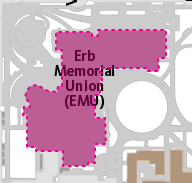
Once your keys are ready, you’ll choose a delivery date and time window. Key holders will digitally sign to take ownership—eliminating the need to visit the EMU or complete physical Key Issuance forms. As part of this transition, the Key and Access Office is relocating from the EMU and integrating with Facilities Management. Note: Any remaining keys scheduled for EMU pick-up will now be delivered.
Tools for Better Key Management
UO Doors also provides powerful tools to help you:
- Track and manage requested keys
- View key holders and their assignments
- Report lost, stolen, returned, or transferred keys
- Chat directly with the Lock and Door Shop
Our goal is to eliminate the need for department-level spreadsheets and manual tracking.
What’s Next
UO Doors was developed in collaboration with the Location Innovation Lab. Phase one focuses on key requests and management. Phase two will expand to include card access, bringing even more efficiency to campus access control.
We look forward to streamlining your key management experience!
Best,
Vanessa Abbott
Access Control Program Specialist
Campus Planning & Facilities Services
New website: https://cpfm.uoregon.edu/key-and-access-academic-buildings

——————-Additional Information 9/18/25————————
Dear Campus Community,
Thank you for your continued engagement with the UO Doors system. In response to recent questions and requests for clarification, we’d like to share a few important updates and reminders:
Key Delivery Process
- Keys are no longer delivered to the EMU for individual pickup. Instead, they are delivered directly to authorized requesters, who must be present to sign for them—establishing a clear chain of custody.
- If needed, requesters may designate someone else to sign on their behalf by noting this in the delivery instructions during scheduling.
- Once keys are received, the Key Holder must digitally sign for them. This can be done via the UO Doors homepage, Dashboard, or Closed Access Requests page.
- To complete the signature:
-
- Select the initials icon to open the signature window.

- Have the Key Holder sign using a trackpad or mouse.
- A checkmark will appear once the signature is successfully recorded in the completed requests list.
Doors Help Page
- The Doors Help section in UO Doors offers guidance on how to navigate the portal and locate key features. As the system evolves, this area will expand to include a full FAQ section for easier access to information.
New Website
The Key and Access Office has relocated from the EMU to Facilities Management.
- All Key, Card, and Locknetic requests can now be found at: website
- Please update your bookmarks and shortcuts accordingly.
Envelope Recycling
- We encourage you to return used key envelopes to help reduce waste. Send them via campus mail to Facilities or return them during your next key delivery. Whether it’s a few or a bulk return, all contributions are appreciated!
Thank you for your attention and support as we continue to improve the UO Doors experience.
Best regards,
Vanessa Abbott
Access Control Program Specialist
Campus Planning & Facilities Services
1276 University of Oregon
https://cpfm.uoregon.edu/key-and-access-academic-buildings
——————-Additional Information 10/09/25————————
Dear Campus Community,
Thank you for your continued engagement with the UO Doors system. We’ve recently updated the signature gathering process to make it more convenient for both requesters and key holders.
New Signature Steps on the UO Doors Homepage

- Key Received – The first row indicates the keys have been received by the key requester and it’s time to notify the key holder.
- Email Sent – The second row shows the key requester has sent an email to the key holder.
- Signature Complete – The third row confirms the key holder has signed for the key, and the request can now be archived to the Closed Access Requests page.
Sign from Any Device
Key holders now have three convenient options to sign for their keys:
- From their own device: At pickup, the key holder can use the email link to open the form and sign.
- From the requester’s device: Use the initials icon to open the signature window and have the key holder sign using a trackpad or mouse.
- Before or after pickup: The key holder can sign directly from the email at their convenience.
Once the signature is complete, a lock icon will appear on the initial’s icon. The key requester can then use the paper with arrow icon to archive the request, moving it to the Closed Access Requests page.
Stay Informed
We’ll continue to share updates and improvements via your home screen, next to the “Keys waiting for Pickup” signature window. You can also visit Doors Help for updated resources as we roll out new features.
Thank you for your attention and support as we continue to enhance the UO Doors experience.
Best regards,
Vanessa Abbott
Access Control Program Specialist
Campus Planning & Facilities Services
1276 University of Oregon
https://cpfm.uoregon.edu/key-and-access-academic-buildings